My workflow isn't showing in HubSpot
You have built a workflow in Portant, you open a HubSpot record, and it is not in the list. Work through the checks below in order: the first one explains most cases.
1. Does the workflow's source match the record you are on?
A workflow appears on a HubSpot record only when the workflow's source object type is the same as the record's object type. A workflow with a Deal source will not show on a Contact record, and a workflow with a Contact source will not show on a Deal.
Open the workflow in Portant and check the Source block. The object type is shown at the top of the source page, next to External Data Source.
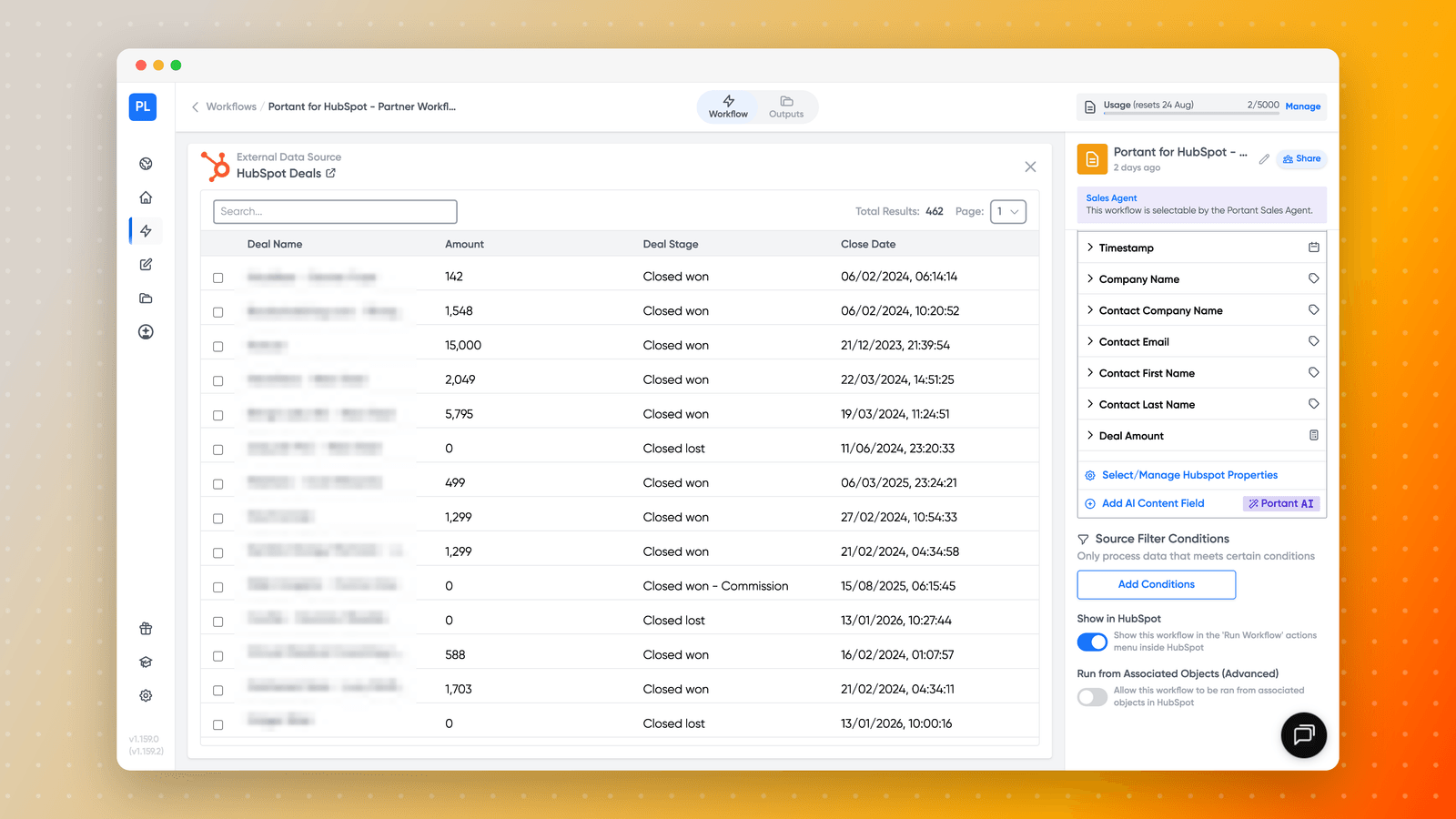
If it is set to the wrong object, either change the source, or open the workflow from the matching record type.
If you want to generate a document on one object using data from another, you do not need a second workflow. See Run a workflow from an associated object.
2. Is the workflow set to show in HubSpot?
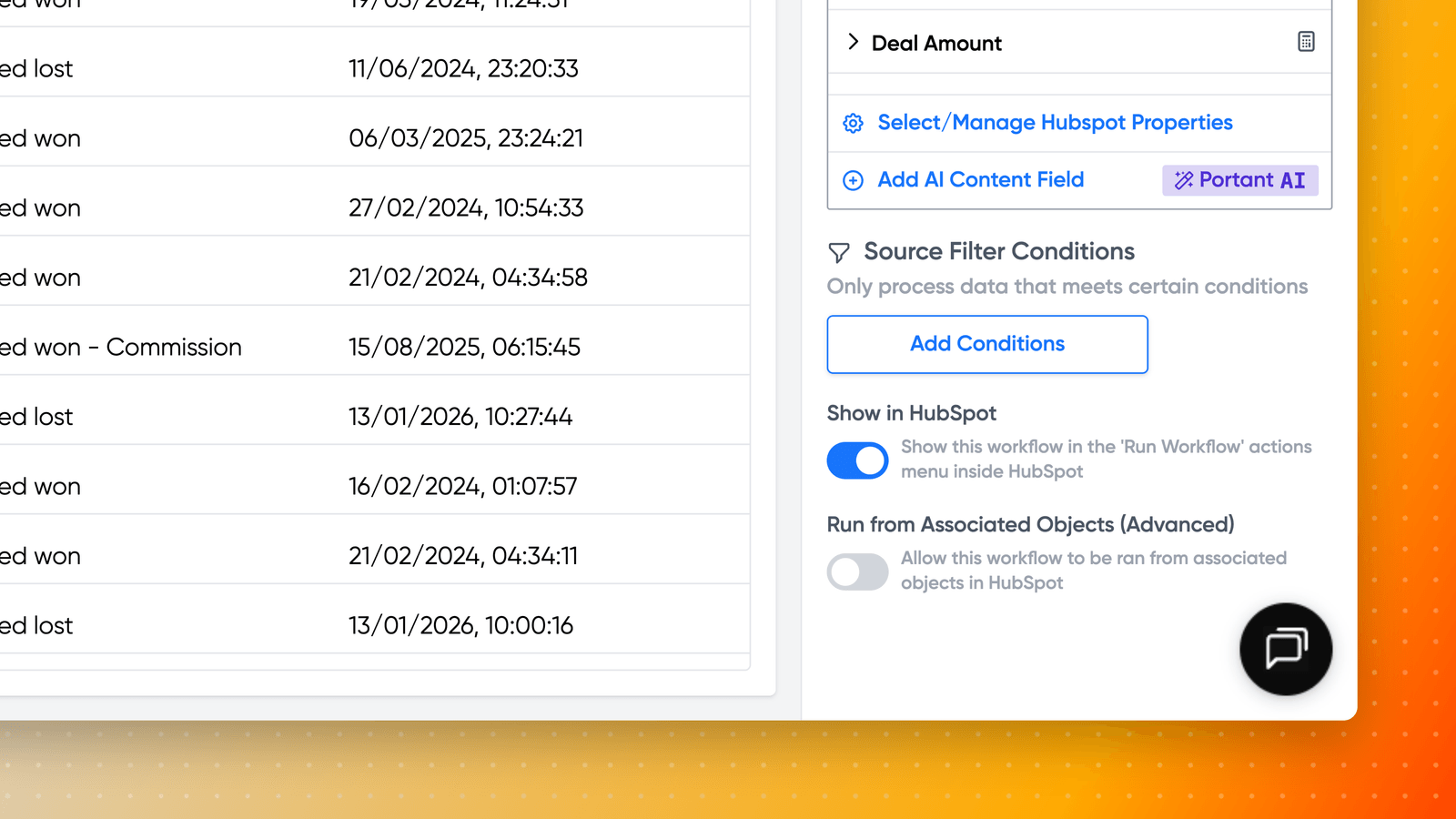
Workflows have a Show in HubSpot option that controls whether they appear in the HubSpot actions menu. If it is turned off, the workflow works but stays hidden.
You will find it in the right hand panel of the workflow's source page, below Source Filter Conditions.
3. Reconnect HubSpot to refresh the list
The list of workflows HubSpot can see is refreshed when the integration reconnects. A workflow created after the last refresh can be missing until then, which is why a brand new workflow is the most common thing to go missing.
Go to Portant Settings → Permissions, click Manage next to HubSpot, and reconnect. See Reconnect HubSpot for the full steps.
4. Do you have permission to see it?
On a team, a workflow has to be shared with you before it appears. Ask the owner to check it is shared, and that your role can run it. A Viewer can see workflows but cannot run them, so approval and run actions will be missing. See Manage team permissions and Share workflows.
5. Were the workflows built in a HubSpot sandbox?
Workflows belong to the HubSpot portal they were created in. Workflows built against a sandbox portal do not appear once you connect the production portal, and reconnecting does not bring them across. Rebuild them in the production portal, and talk to us before migrating if you have a lot of them.
6. Is the app card installed on that object?
The Portant card has to be added to the record layout for each object type you want it on, including custom objects. See Add Portant app cards to HubSpot and Generate documents from any custom object.
Still missing
Open a support ticket with the workflow name and the HubSpot record you expect to see it on.