Documents stuck on Pending or Signature Requested
An item that sits on Pending or Signature Requested indefinitely is usually waiting on something specific rather than broken. These are the causes we see, most common first.
Stuck on Pending
The output folder isn't shared with the person running the workflow
This is the classic one, and it shows no error at all. If a team member runs a workflow whose output folder they cannot write to, the item stays on Pending forever.
Share the output folder with everyone who runs the workflow. See Share workflows and Change the output folder.
The workflow is waiting on a review or approval
If the workflow has a review block, the document waits until someone approves it. That is working as intended, but it looks identical to a stall if you did not know a review step was there.
Open the workflow and check for a Review block in the pipeline.
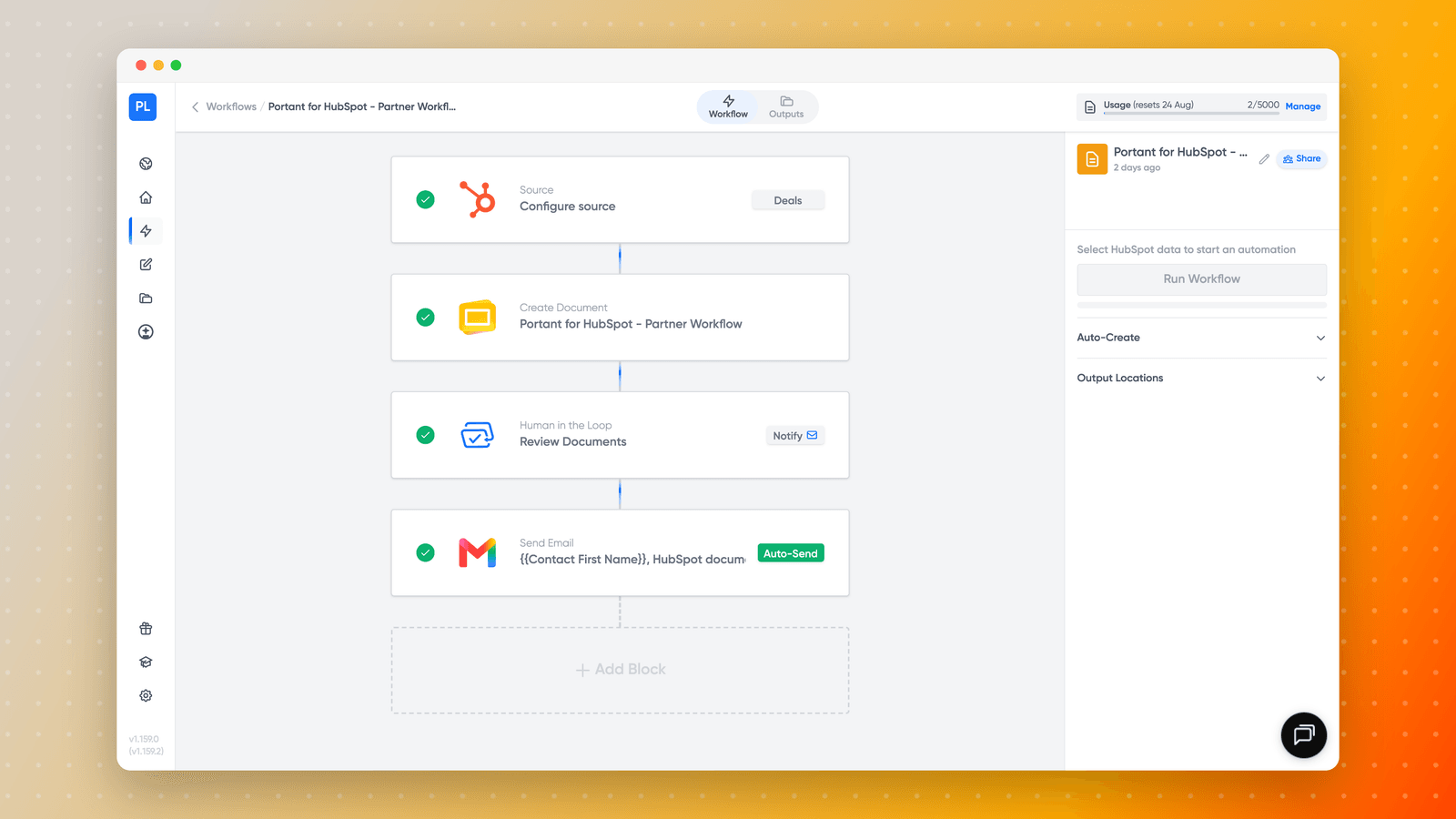
Then see Review and approve documents.
The reverse also causes confusion: approval steps are configured per workflow, so if you have no Approve button while a colleague does, your workflow most likely has no review step rather than a permissions problem.
Removed team members stop receiving approval requests, so a workflow whose only approver has left will wait indefinitely. Reassign the approver.
The connection expired mid-run
See Reconnect HubSpot and Reconnect Microsoft. A Microsoft connection that drops will leave workflows sitting in Drafts.
Stuck on Signature Requested
The signer added a signature but never submitted it
Adding a signature in the eSign portal does not complete the request. The signer has to press the button that submits it. A document can sit at Signature Requested for days for this reason alone, with the signer certain they have signed.
Check the recipient list to see who has completed and who has not, then resend the request with a note asking them to finish on the final step.
One recipient in a multi-signer request was skipped
If the request never reached the second signer, check the HubSpot connection first: expired credentials have caused exactly this. See Reconnect HubSpot and Request multiple signatures.
The link has expired
Resend only works while the request is still live. Once the signature link has expired, resending will not produce a working link: you need to run the workflow again to create a fresh request.
To stop it happening again, change or disable the expiry period in the Signature Request block. See Signature link expiry and Cancel a signature request.
If you regenerate a document, the new request has a new link and any earlier links become stale. Cancel the old request so nobody signs the wrong version.
Still stuck
Copy a support code from the item and open a support ticket, telling us which stage it is stuck at.