Reconnect HubSpot
Expired HubSpot credentials are the most common cause of HubSpot-triggered workflows that stop working. The tell is that nothing reports an error: the HubSpot workflow says it fired, and the Portant step simply never finishes.
Symptoms
Reconnect HubSpot if you are seeing any of these:
- A Run a Portant Workflow action stuck in waiting, with no delay step configured.
- Portant automations that need manual unenrolment to clear.
- A newly created workflow missing from the Portant card or action list in HubSpot.
- Emails going out from a former team member's address instead of the workflow owner's.
- A signature request that skips the second recipient.
- Documents that stop attaching to the HubSpot record.
Each of these has been traced back to expired credentials, sometimes after weeks of looking elsewhere.
Reconnect
- Go to Portant Settings → Integrations.
- Find HubSpot under Teams Permissions and click Manage.
- Reconnect and approve the permission prompts in HubSpot.
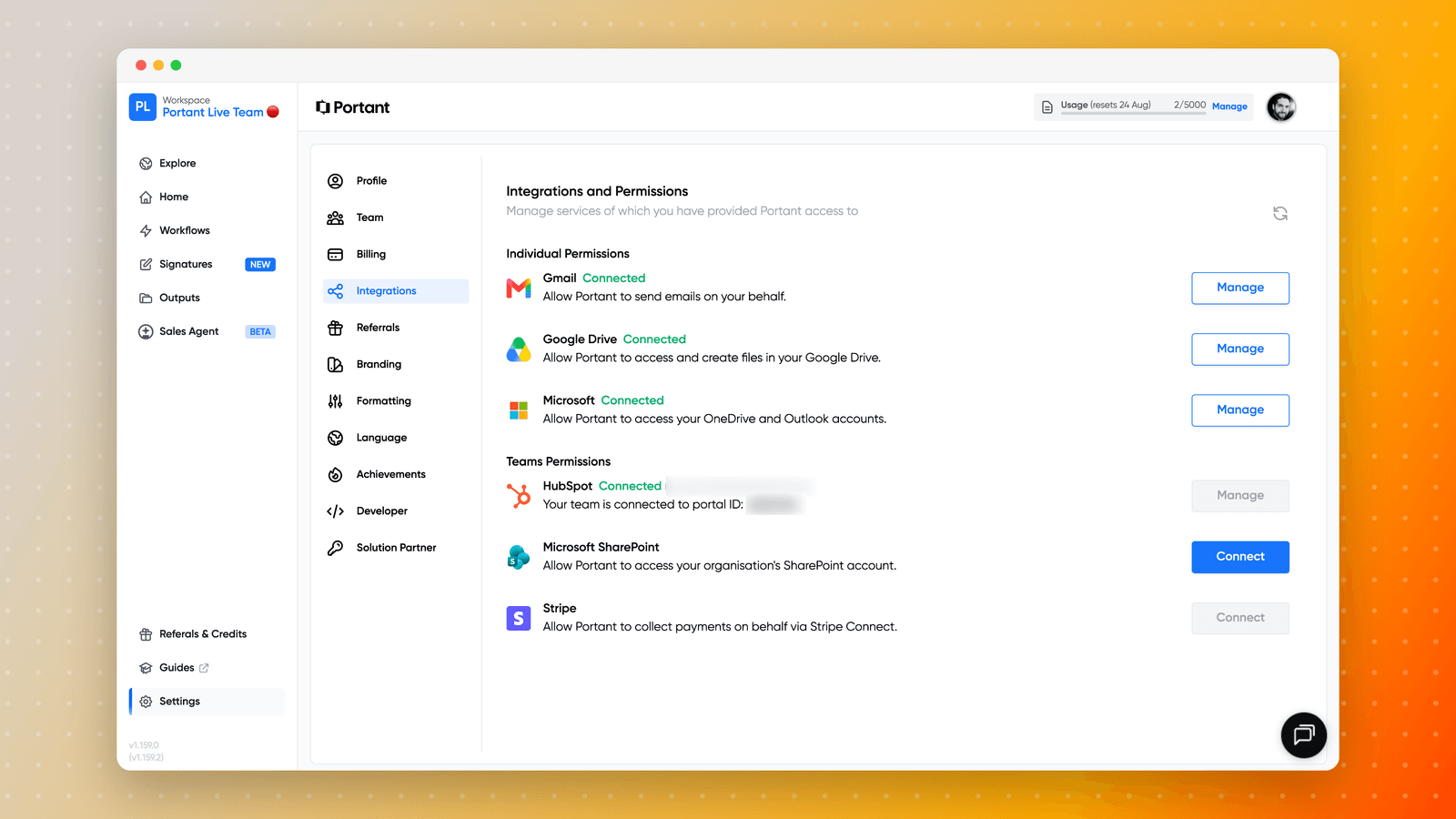
Reconnecting also refreshes the workflow list that HubSpot sees, so it is the fix for a workflow that exists in Portant but does not appear on the record.
HubSpot sits under Teams Permissions rather than Individual Permissions, because the connection belongs to the team and to the person who authorised it. That line also names who connected it, which is worth checking first. If that person has left, reconnecting as a different user is not enough on its own: the team owner needs to reconnect, and you may also need to transfer team ownership.
Common causes
The connecting admin has left the company
Workflows keep running on the departed user's credentials until those credentials expire, which is why this often surfaces weeks after someone leaves. Transfer ownership to a current user, then reconnect HubSpot as that user.
Your company has merged or changed HubSpot portals
If the Portant account owner and the HubSpot user are now different people, or the portal ID has changed, the integration breaks in ways that look like a permissions bug. Reconnect first; if the workflow is still pointing at the wrong portal, contact support, because the source link is corrected on our side.
You have moved from a sandbox to a production portal
Workflows built while connected to a HubSpot sandbox belong to that portal and do not carry across to production. Reconnecting will not surface them. Rebuild the workflows in the production portal, or contact support before you migrate so we can advise.
Check it worked
After reconnecting, re-run one automation from a HubSpot record rather than waiting for the next trigger. If the item completes, the credentials were the problem.
If it still hangs, copy a support code and open a support ticket.